


e-ComGen Design logo e-ComGen Design

45 Presentation Icons — SVG Pack for PowerPoint & Keynote

45 presentation icons in 4 color variants. Enhance presentations with slide deck icons, speaker visuals, and feedback icons. $4.99 for 180 SVGs.

45 unique icons
4 color variants
180 SVG files
Commercial license
45 Presentation Icons — SVG Pack for PowerPoint & Keynote — preview cover with sample icons
★ Free sampler

Try 4 icons free — no email required

Real SVG vectors in all 4 color variants (16 files). Use them in commercial projects today, no attribution needed. Like the style? Get the full pack below.

Download free ZIP — 16 SVGs
No signup · Direct download · 44 KB
Laser Pointer With Clicker Laser Pointer With Clicker
Audience Engagement Meter Audience Engagement Meter
Presentation Timer Presentation Timer
Feedback Form Feedback Form

Creating presentations demands visuals that don’t distract. This pack of 45 SVG icons was made to solve that. Expect clear, consistent visuals that fit cleanly into your PowerPoint slides, focusing on maintaining audience attention rather than correcting design errors.

The pack’s four variants—mono-black, mono-navy, mono-grey, and editable—enable you to adapt icons to any theme or client request. This flexibility is crucial for designers who need to switch styles quickly, saving you from tedious reformatting tasks.

SVG icons maintain quality across displays. Whether using Keynote in a corporate setting or showcasing on a conference screen, these SVGs offer sharp, professional graphics, avoiding typical pixelation issues associated with other formats.

For app developers, these icons serve as functional UI elements. The ‘microphone’ icon is excellent for highlighting speaker sections, and the ‘timeline-graphic’ organizes session timelines. With 45 icons, you have variety without overwhelming choices.

Customization is hassle-free. The editable variant allows easy color modifications to match brand guidelines. For freelancers managing multiple projects, this is a lifesaver—enabling adjustments without compromising design integrity, conserving both time and budget.


Who this pack is for

Corporate trainers using Keynote

Running a training session with mismatched icons distracts your audience. This pack keeps your Keynote slides visually cohesive, letting you focus on delivery rather than design fixes.

Conference app developers

Creating an app without consistent icons is challenging. This pack provides 45 essential icons, like 'microphone' for speaker profiles, enhancing user experience without starting from scratch.

Public speakers & presenters

An engaging presentation requires more than just eloquence. With 45 clear icons, keep your audience focused and let your storytelling shine without graphic design distractions in PowerPoint.

Freelance presentation designers

Switching styles between projects can be time-consuming. 180 SVGs with 4 color variants help you adapt icons quickly to client preferences without extra effort on recoloring or design changes.

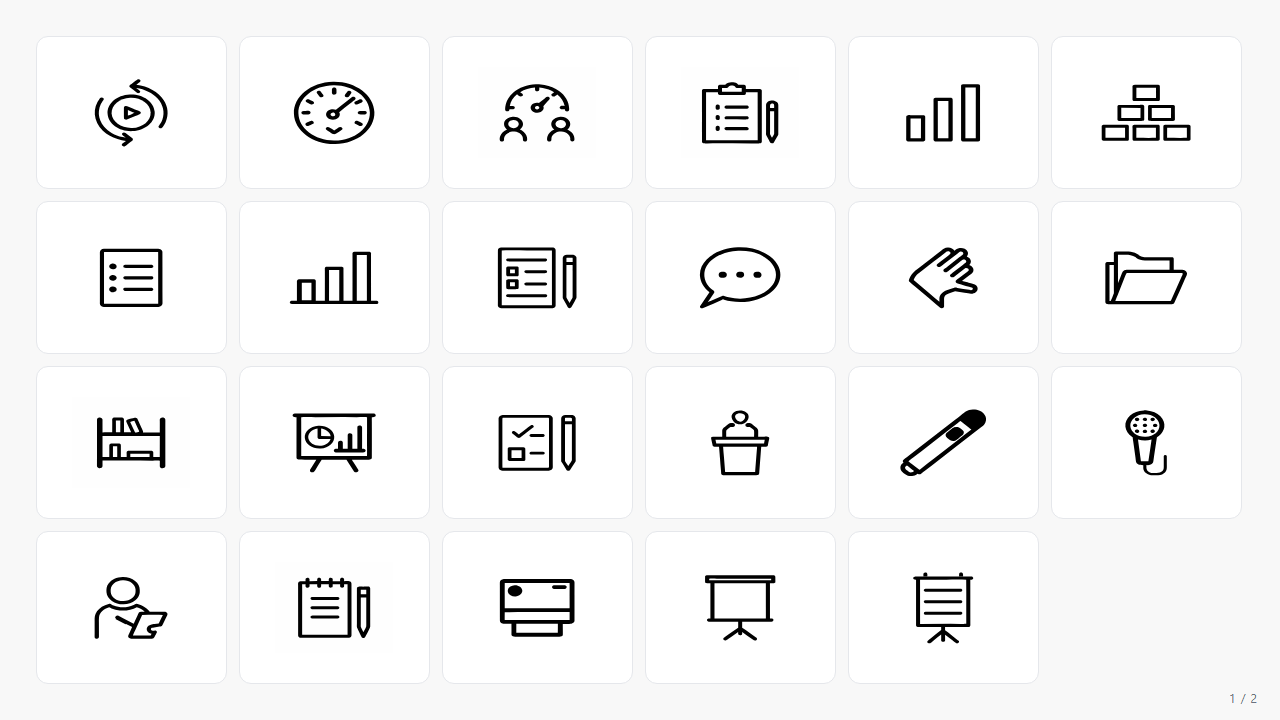
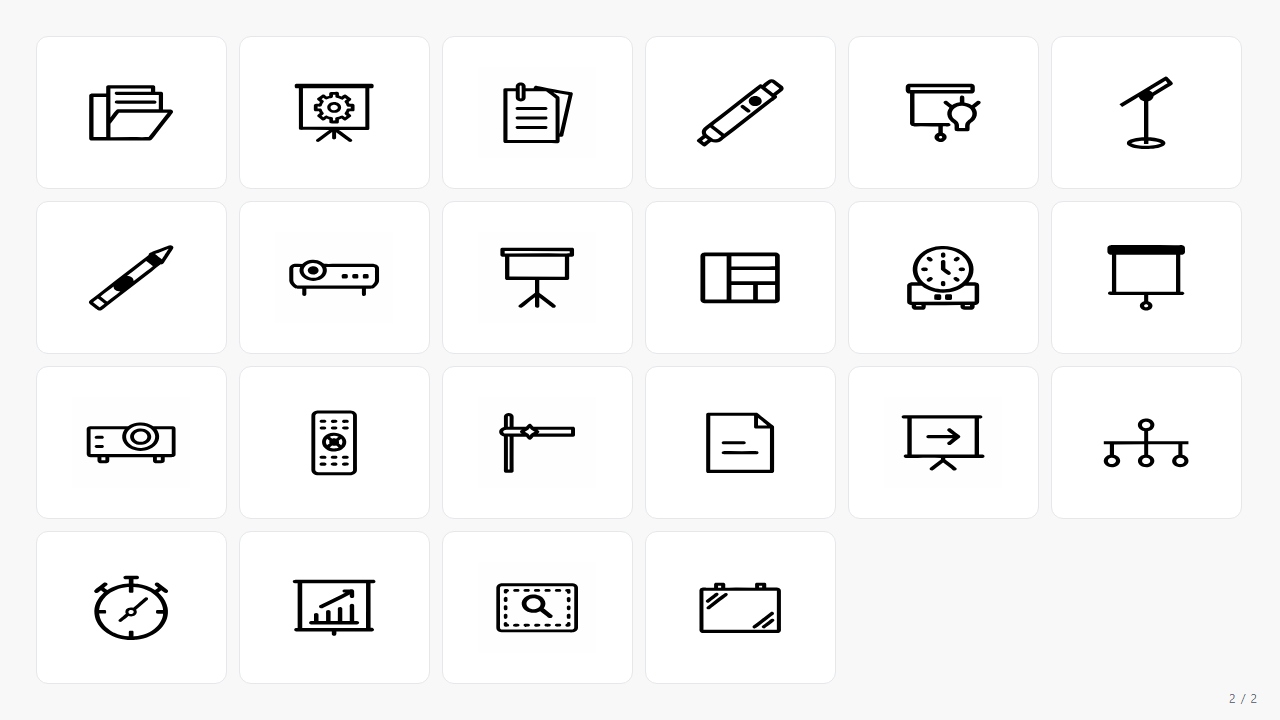
All 45 icons

PNG previews shown. The actual SVG vectors come with the pack.

Animation Cue SVG icon — presentation Animation Cue
Applause Meter Dial SVG icon — presentation Applause Meter Dial
Audience Engagement Meter SVG icon — presentation Audience Engagement Meter
Audience Roster SVG icon — presentation Audience Roster
Chart Bar SVG icon — presentation Chart Bar
Content Hierarchy SVG icon — presentation Content Hierarchy
Content Outline SVG icon — presentation Content Outline
Data Visualization Chart SVG icon — presentation Data Visualization Chart
Feedback Form SVG icon — presentation Feedback Form
Feedback Speech Bubble SVG icon — presentation Feedback Speech Bubble
Hand Gesture SVG icon — presentation Hand Gesture
Handout Folder SVG icon — presentation Handout Folder
Iconography Library SVG icon — presentation Iconography Library
Infographic Elements SVG icon — presentation Infographic Elements
Interactive Poll Icon SVG icon — presentation Interactive Poll Icon
Keynote Stage SVG icon — presentation Keynote Stage
Laser Pointer With Clicker SVG icon — presentation Laser Pointer With Clicker
Microphone SVG icon — presentation Microphone
Note Taker SVG icon — presentation Note Taker
Notebook SVG icon — presentation Notebook
Presentation Flashcard SVG icon — presentation Presentation Flashcard
Presentation Flipchart Stand SVG icon — presentation Presentation Flipchart Stand
Presentation Flipchart SVG icon — presentation Presentation Flipchart
Presentation Folder SVG icon — presentation Presentation Folder
Presentation Gear SVG icon — presentation Presentation Gear
Presentation Handout SVG icon — presentation Presentation Handout
Presentation Laser Pointer SVG icon — presentation Presentation Laser Pointer
Presentation Light Bulb SVG icon — presentation Presentation Light Bulb
Presentation Microphone Stand SVG icon — presentation Presentation Microphone Stand
Presentation Pointer SVG icon — presentation Presentation Pointer
Presentation Projector SVG icon — presentation Presentation Projector
Presentation Stand SVG icon — presentation Presentation Stand
Presentation Template SVG icon — presentation Presentation Template
Presentation Timer SVG icon — presentation Presentation Timer
Projector Screen SVG icon — presentation Projector Screen
Projector SVG icon — presentation Projector
Remote Control SVG icon — presentation Remote Control
Section Divider SVG icon — presentation Section Divider
Sticky Note SVG icon — presentation Sticky Note
Storytelling Slide SVG icon — presentation Storytelling Slide
Timeline Graphic SVG icon — presentation Timeline Graphic
Timer Clock SVG icon — presentation Timer Clock
Visual Aid Tools SVG icon — presentation Visual Aid Tools
Visual Aid SVG icon — presentation Visual Aid
Whiteboard SVG icon — presentation Whiteboard
Like what you see?

Get all 45 icons + 4 color variants for $5.00.

Get the pack — $5.00

4 color variants

Same shapes, four palettes. The editable variant uses CSS currentColor — recolor with one CSS rule.

mono-black variant preview
mono-black

Choose this for high-contrast setups or when clarity is needed against complex backgrounds.

mono-navy variant preview
mono-navy

Great for presentations with a cool color palette. Complements blues and grays effectively.

mono-grey variant preview
mono-grey

Use for neutrality when you need focus on content. Works well in minimal design themes in tools like Figma.

editable variant preview
editable

Allows for custom brand colors. Edit in Figma or Illustrator to suit your identity and client needs.

How the editable variant works (1-line CSS)
<style>
  .icon { color: #1A2332; width: 24px; height: 24px; }
  .icon:hover { color: #F4842F; }
</style>
<img src="04-editable/audience-engagement-meter.svg" class="icon" />

Standout icons in this pack

A handful that we keep using ourselves.

audience-engagement-meter
audience engagement meter

Visualizes audience interest, letting you adjust presentation pace based on real-time feedback.

presentation-flipchart-stand
presentation flipchart stand

Depict brainstorming or strategic planning sessions. This icon is a staple in business presentations.

laser-pointer-with-clicker
laser pointer with clicker

Emphasize key points in your slides. Familiar and effective for in-person or virtual presentations.

presentation-timer
presentation timer

Remind yourself to stay on schedule during presentations. Essential for managing time effectively.

microphone
microphone

Symbolizes speaking engagements. Integrates well into apps for speaker identification or audio settings.

Where it shines

Keynote slides — visual consistency

Import icons into Keynote easily. Use 'presentation-template' and 'audience-engagement-meter' to maintain a unified look, ensuring each slide flows logically.

Conference apps — speaker section design

Integrate 'microphone' and 'presentation-timer' icons into your app's UI to clearly represent speaker information and event timing, fitting perfectly in mobile layouts.

Training tools — interactive feedback

Enhance Figma projects by adding 'feedback-form' and 'interactive-poll-icon'. These icons break up dense text, making your tools more user-friendly and engaging.

Public speaking — audience engagement

Include 'audience-engagement-meter' in your slides to assess audience interaction dynamically, adjusting your content delivery to maximize engagement.

The full inventory

Every icon at a glance. Click for full size.

Get the full pack — $5.00

45 icons · 180 SVG files · 4 color variants · commercial license · instant download

✓ No subscription · ✓ No attribution · ✓ Use in commercial products

Frequently asked

How many icons are included? +
The pack includes 45 unique presentation icons, totaling 180 SVG files across 4 color variants.
What formats do the icons come in? +
Icons are provided in SVG format, suitable for editing in Figma and Illustrator, ensuring flexibility.
Are the icons compatible with PowerPoint and Keynote? +
Yes, these SVG icons integrate with PowerPoint and Keynote, enhancing slide design and presentation flow.
Can I recolor the icons? +
Yes, the 'editable' variant allows full customization in any vector editing software.
Do I need to provide attribution? +
No attribution is required. Icons come with a commercial license, offering flexible usage options.
Will new icons be added to the pack? +
The pack is complete as is, but keep an eye out for future updates or new releases.
How large are the SVG files? +
Each SVG file is optimized for minimal size, ensuring they don't slow down your project files.